> For the complete documentation index, see [llms.txt](https://support.senterasensors.com/home/llms.txt). Markdown versions of documentation pages are available by appending `.md` to page URLs; this page is available as [Markdown](https://support.senterasensors.com/home/fieldagent-web/fields/edit-or-delete-a-field.md).

# Edit or delete a field

Reshape a field boundary, correct a field's details or delete a field you no longer need.

Reshape a field boundary, correct a field's details or delete a field you no longer need.

A boundary that follows the real field edge gives you cleaner numbers. Every mosaic, zone statistic and export is clipped to it. Changing a field's name, grower or farm leaves its imagery and orders in place.

***

## Edit the boundary

Use the same [drawing tools](/home/fieldagent-web/fields/create-a-field.md#drawing-tools) as when you create a field.

{% stepper %}
{% step %}

#### Open the boundary

Open the field and click **Field Boundary** in the **Zones** module. The pencil <img src="https://2791052504-files.gitbook.io/~/files/v0/b/gitbook-x-prod.appspot.com/o/spaces%2FVt6flh3S4tohPAjrSP91%2Fuploads%2Fgit-blob-8238089058191eb0539cbc80be106df78bb52a84%2Ffa-web-icon-edit.svg?alt=media" alt="edit icon" data-size="line"> in the **Field Details** module opens the same **Edit Field** form.

<figure><img src="https://2791052504-files.gitbook.io/~/files/v0/b/gitbook-x-prod.appspot.com/o/spaces%2FVt6flh3S4tohPAjrSP91%2Fuploads%2Fgit-blob-fd0307599e6d6cd64253323d0868ea00b8fe3ce3%2Ffa-web-field-view-boundary-pencil.jpg?alt=media" alt="The Training demo field view with Field Boundary in the Zones module and the pencil of the Field Details module outlined"><figcaption><p>Field Boundary and pencil highlighted</p></figcaption></figure>

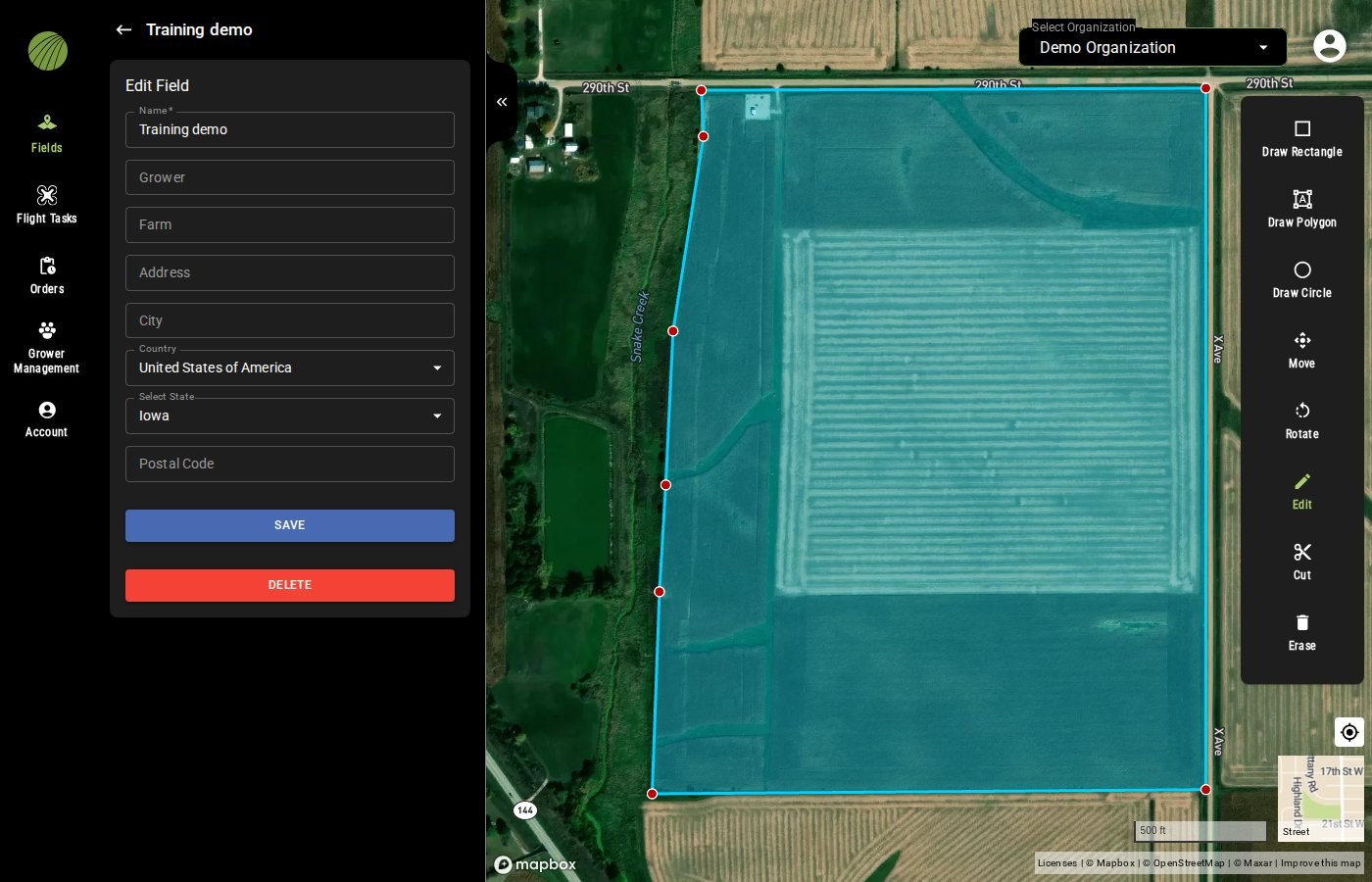
**Edit** is already selected, and the boundary shows a red point at each corner. On a field with several shapes, click a shape to show its points.

<figure><img src="https://2791052504-files.gitbook.io/~/files/v0/b/gitbook-x-prod.appspot.com/o/spaces%2FVt6flh3S4tohPAjrSP91%2Fuploads%2Fgit-blob-f84b4e27da3afc993ff3e5eacff86d26467d3457%2Ffa-web-edit-field.jpg?alt=media" alt="The Edit Field form of the Training demo field with Name, Grower, Farm, the address fields, SAVE and DELETE, and on the map the field boundary with a red point at each corner and Edit active in the drawing toolbar"><figcaption></figcaption></figure>
{% endstep %}

{% step %}

#### Change the shape

* Drag a red point to move its corner.
* To add a corner, move the pointer along an edge until a small white point follows it, then click.
* **Cut** <img src="https://2791052504-files.gitbook.io/~/files/v0/b/gitbook-x-prod.appspot.com/o/spaces%2FVt6flh3S4tohPAjrSP91%2Fuploads%2Fgit-blob-bd550b6ccf83b032bfbe7af786265991eec281df%2Ffa-web-icon-cut.svg?alt=media" alt="cut icon" data-size="line"> removes an area such as a waterway. Select it, click around the area and finish on the first point. A cut right across the field splits it into two shapes of one field.

Drag the map if part of the boundary is hidden under the drawing toolbar.
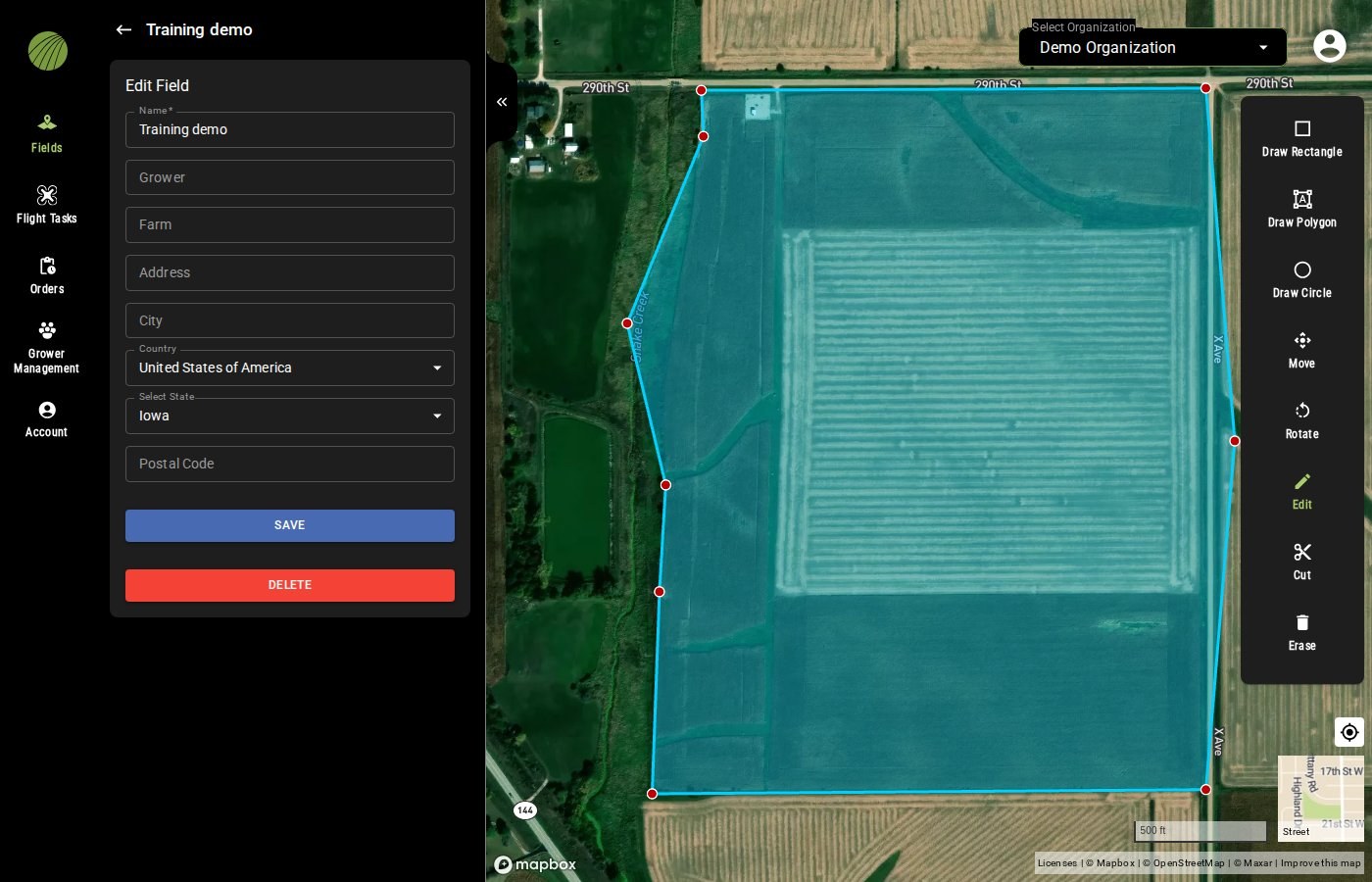
<figure><img src="https://2791052504-files.gitbook.io/~/files/v0/b/gitbook-x-prod.appspot.com/o/spaces%2FVt6flh3S4tohPAjrSP91%2Fuploads%2Fgit-blob-903889ab3b022939f26417583ecd645084031f72%2Ffa-web-edit-field-boundary.jpg?alt=media" alt="The same Edit Field form and boundary after the changes: the corner on the creek side dragged outward and a red point added on the right edge, with Edit active in the drawing toolbar"><figcaption><p>One corner dragged out and a new point added on an edge.</p></figcaption></figure>
{% endstep %}

{% step %}

#### Save

Click **SAVE**.

<img src="https://2791052504-files.gitbook.io/~/files/v0/b/gitbook-x-prod.appspot.com/o/spaces%2FVt6flh3S4tohPAjrSP91%2Fuploads%2Fgit-blob-cea991d4d0cd4226e903fc081dfbb7731a43b1c9%2Ffa-web-ui-btn-save-field.png?alt=media" alt="SAVE button" width="336">

FieldAgent updates the acreage from the new boundary and opens the field view.
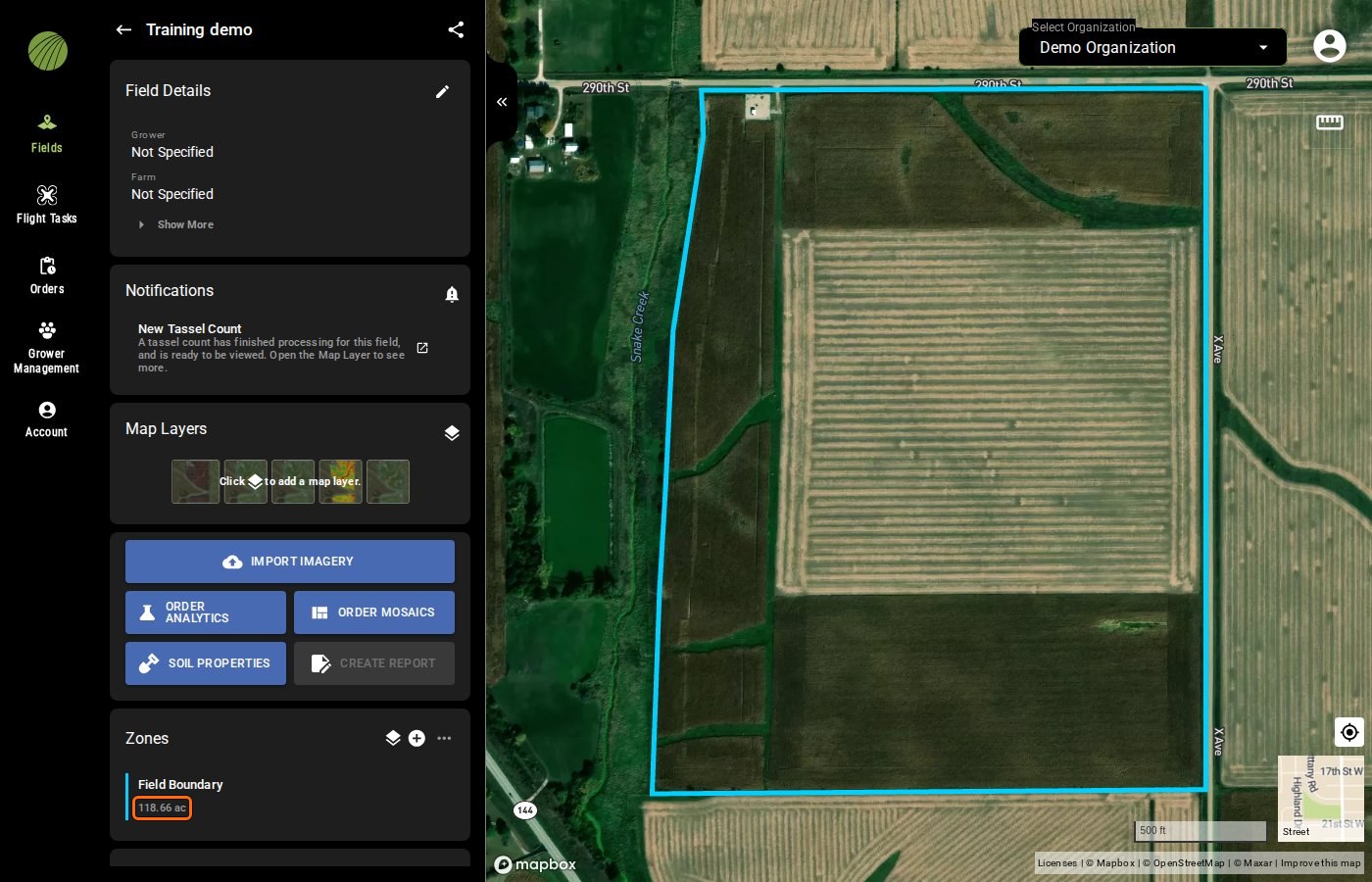
<figure><img src="https://2791052504-files.gitbook.io/~/files/v0/b/gitbook-x-prod.appspot.com/o/spaces%2FVt6flh3S4tohPAjrSP91%2Fuploads%2Fgit-blob-4eb4405e597924256b58b443ce9885b12372bec8%2Ffa-web-field-view-acreage.jpg?alt=media" alt="The Training demo field view with the acreage under Field Boundary in the Zones module, 118.66 ac, outlined"><figcaption><p>Acreage highlighted</p></figcaption></figure>
{% endstep %}
{% endstepper %}

<details>

<summary>The other drawing tools</summary>

<img src="https://2791052504-files.gitbook.io/~/files/v0/b/gitbook-x-prod.appspot.com/o/spaces%2FVt6flh3S4tohPAjrSP91%2Fuploads%2Fgit-blob-0615a3e4f0f0e047d39ef94c0c912d6bb311f90d%2Ffa-web-ui-draw-toolbar.png?alt=media" alt="The drawing toolbar" width="80">

| Tool                                                                                                                                                                                                                                                                                                                                                                                                                                                                                                                                                                                                                                                                                                                                                                                                                                                                    | Description                                          |
| ----------------------------------------------------------------------------------------------------------------------------------------------------------------------------------------------------------------------------------------------------------------------------------------------------------------------------------------------------------------------------------------------------------------------------------------------------------------------------------------------------------------------------------------------------------------------------------------------------------------------------------------------------------------------------------------------------------------------------------------------------------------------------------------------------------------------------------------------------------------------- | ---------------------------------------------------- |
| <img src="https://2791052504-files.gitbook.io/~/files/v0/b/gitbook-x-prod.appspot.com/o/spaces%2FVt6flh3S4tohPAjrSP91%2Fuploads%2Fgit-blob-65d38eed89d1b99e26620c2e4510785cfd52087b%2Ffa-web-icon-draw-rectangle.svg?alt=media" alt="draw rectangle icon" data-size="line"> **Draw Rectangle**, <img src="https://2791052504-files.gitbook.io/~/files/v0/b/gitbook-x-prod.appspot.com/o/spaces%2FVt6flh3S4tohPAjrSP91%2Fuploads%2Fgit-blob-91c6b935823771c73a6638910a20f7bd71e9c0bc%2Ffa-web-icon-area.svg?alt=media" alt="draw polygon icon" data-size="line"> **Draw Polygon**, <img src="https://2791052504-files.gitbook.io/~/files/v0/b/gitbook-x-prod.appspot.com/o/spaces%2FVt6flh3S4tohPAjrSP91%2Fuploads%2Fgit-blob-805e7bc7ac2a9292bc937b1cbdd5c9ad4d24f13a%2Ffa-web-icon-draw-circle.svg?alt=media" alt="draw circle icon" data-size="line"> **Draw Circle** | Add another shape to the field.                      |
| <img src="https://2791052504-files.gitbook.io/~/files/v0/b/gitbook-x-prod.appspot.com/o/spaces%2FVt6flh3S4tohPAjrSP91%2Fuploads%2Fgit-blob-faf8b7ada927edd21309a290b0c904240fbb6fc3%2Ffa-web-icon-move.svg?alt=media" alt="move icon" data-size="line"> **Move**, <img src="https://2791052504-files.gitbook.io/~/files/v0/b/gitbook-x-prod.appspot.com/o/spaces%2FVt6flh3S4tohPAjrSP91%2Fuploads%2Fgit-blob-88f28a3a841eebec3defaff8dbed819b3c5c055f%2Ffa-web-icon-rotate.svg?alt=media" alt="rotate icon" data-size="line"> **Rotate**                                                                                                                                                                                                                                                                                                                                | Shift or turn a whole shape.                         |
| <img src="https://2791052504-files.gitbook.io/~/files/v0/b/gitbook-x-prod.appspot.com/o/spaces%2FVt6flh3S4tohPAjrSP91%2Fuploads%2Fgit-blob-c0e8388a85b69d06fdabbf1d69bcd847f9e3f2f0%2Ffa-web-icon-erase.svg?alt=media" alt="erase icon" data-size="line"> **Erase**                                                                                                                                                                                                                                                                                                                                                                                                                                                                                                                                                                                                     | Click a shape to delete it. There's no confirmation. |

</details>

### Try it in the demo

In the demo below, move a corner, add one on an edge, cut one off and save the new boundary.

{% @fieldagent-demo/embed content="edit-boundary" %}

<a href="https://senterallc.github.io/FieldAgent-Demos/demo.html?s=edit-boundary&#x26;mode=page" class="button secondary">Open this demo full size</a>

***

## Change the name, grower or farm

Fill in the grower and farm if they're missing. You can search and sort the field list by both.

{% stepper %}
{% step %}

#### Open Edit Field

Open the field and click the pencil <img src="https://2791052504-files.gitbook.io/~/files/v0/b/gitbook-x-prod.appspot.com/o/spaces%2FVt6flh3S4tohPAjrSP91%2Fuploads%2Fgit-blob-8238089058191eb0539cbc80be106df78bb52a84%2Ffa-web-icon-edit.svg?alt=media" alt="edit icon" data-size="line"> in the **Field Details** module. The **Edit Field** form opens.
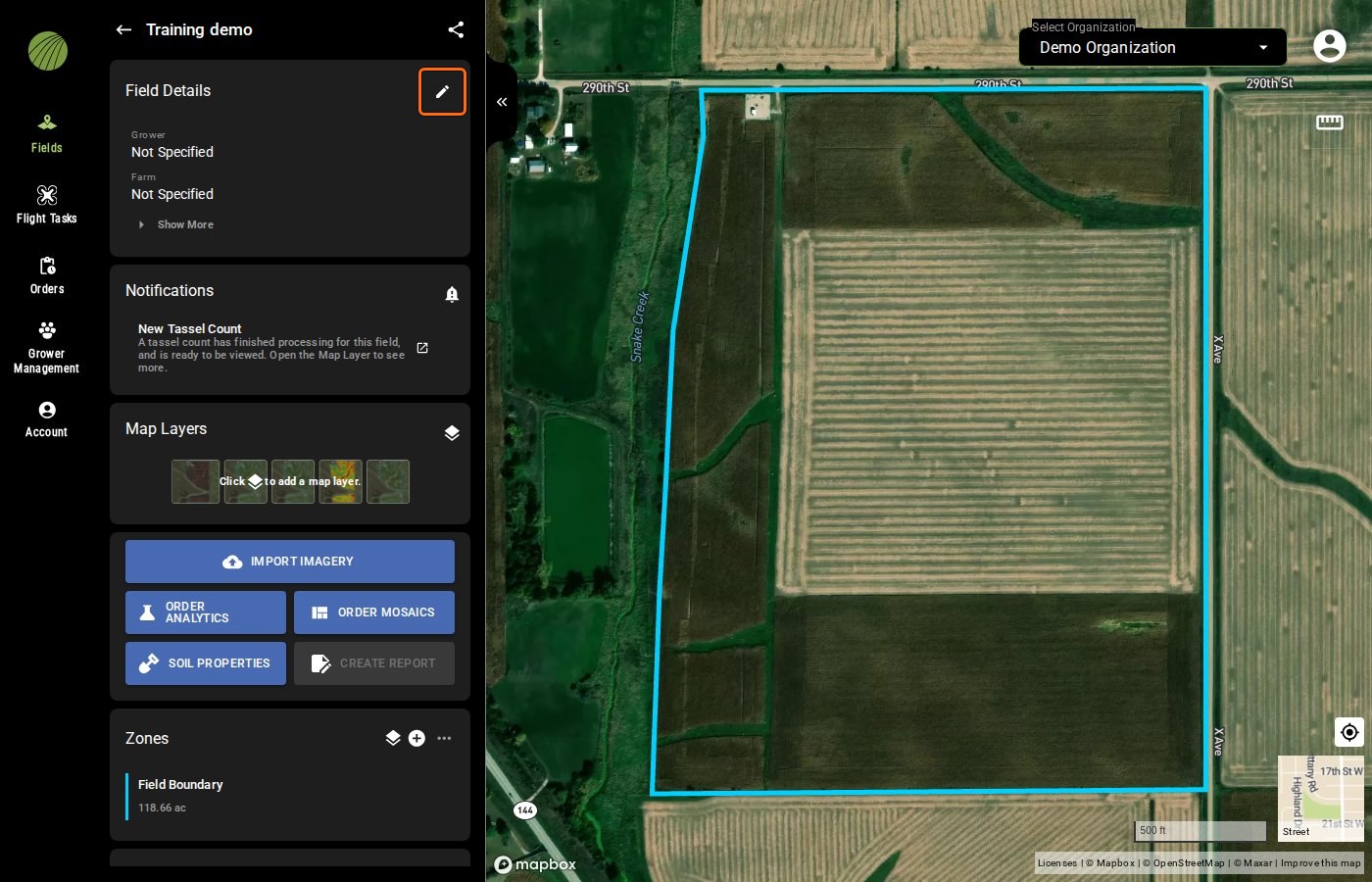
<figure><img src="https://2791052504-files.gitbook.io/~/files/v0/b/gitbook-x-prod.appspot.com/o/spaces%2FVt6flh3S4tohPAjrSP91%2Fuploads%2Fgit-blob-8e840f6482b8d7377d3a103fd70649c9da850a43%2Ffa-web-field-view-pencil.jpg?alt=media" alt="The Training demo field view with the pencil of the Field Details module outlined"><figcaption><p>Pencil highlighted</p></figcaption></figure>
{% endstep %}

{% step %}

#### Change the details

Change what you need. **Name** is the only box you are required to have filled in.

<figure><img src="https://2791052504-files.gitbook.io/~/files/v0/b/gitbook-x-prod.appspot.com/o/spaces%2FVt6flh3S4tohPAjrSP91%2Fuploads%2Fgit-blob-f84b4e27da3afc993ff3e5eacff86d26467d3457%2Ffa-web-edit-field.jpg?alt=media" alt="The Edit Field form of the Training demo field with Name, Grower, Farm, the address fields, SAVE and DELETE, and on the map the field boundary with a red point at each corner and Edit active in the drawing toolbar"><figcaption></figcaption></figure>
{% endstep %}

{% step %}

#### Save

Click **SAVE**. **Field Details** shows the new details.

<img src="https://2791052504-files.gitbook.io/~/files/v0/b/gitbook-x-prod.appspot.com/o/spaces%2FVt6flh3S4tohPAjrSP91%2Fuploads%2Fgit-blob-cea991d4d0cd4226e903fc081dfbb7731a43b1c9%2Ffa-web-ui-btn-save-field.png?alt=media" alt="SAVE button" width="336">
{% endstep %}
{% endstepper %}

***

## Delete a field

{% hint style="warning" %}
Deleting a field removes it and its data for everyone in your organization, and you cannot undo it. Do not delete a field to stop sharing it. Contact support to [end a share](/home/fieldagent-web/fields/share-a-field.md) before it expires.
{% endhint %}

{% stepper %}
{% step %}

#### Open Edit Field

Open the field and click the pencil <img src="https://2791052504-files.gitbook.io/~/files/v0/b/gitbook-x-prod.appspot.com/o/spaces%2FVt6flh3S4tohPAjrSP91%2Fuploads%2Fgit-blob-8238089058191eb0539cbc80be106df78bb52a84%2Ffa-web-icon-edit.svg?alt=media" alt="edit icon" data-size="line"> in the **Field Details** module.

<figure><img src="https://2791052504-files.gitbook.io/~/files/v0/b/gitbook-x-prod.appspot.com/o/spaces%2FVt6flh3S4tohPAjrSP91%2Fuploads%2Fgit-blob-8e840f6482b8d7377d3a103fd70649c9da850a43%2Ffa-web-field-view-pencil.jpg?alt=media" alt="The Training demo field view with the pencil of the Field Details module outlined"><figcaption><p>Pencil highlighted</p></figcaption></figure>
{% endstep %}

{% step %}

#### Click DELETE

Click **DELETE**. FieldAgent asks you to confirm.

<img src="https://2791052504-files.gitbook.io/~/files/v0/b/gitbook-x-prod.appspot.com/o/spaces%2FVt6flh3S4tohPAjrSP91%2Fuploads%2Fgit-blob-fe44c19885c4daedaa1a48f36c12aac7258e31f2%2Ffa-web-ui-btn-delete-field.png?alt=media" alt="DELETE button" width="336">
{% endstep %}

{% step %}

#### Confirm

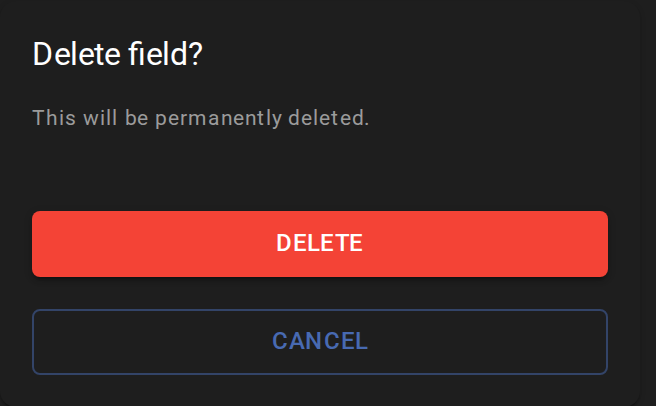
Click **DELETE** again to delete the field, or **CANCEL** to keep it.
<img src="https://2791052504-files.gitbook.io/~/files/v0/b/gitbook-x-prod.appspot.com/o/spaces%2FVt6flh3S4tohPAjrSP91%2Fuploads%2Fgit-blob-3e71b03d83649816037a3a34648a37fa119ead48%2Ffa-web-ui-delete-field-card.png?alt=media" alt="Delete field? confirmation box with DELETE and CANCEL" width="328">
{% endstep %}
{% endstepper %}

{% hint style="info" %}
The field list opens once the field is deleted. If the field is still listed, refresh the page.
{% endhint %}

***

## If it doesn't work

To undo your changes, click the back arrow <img src="https://2791052504-files.gitbook.io/~/files/v0/b/gitbook-x-prod.appspot.com/o/spaces%2FVt6flh3S4tohPAjrSP91%2Fuploads%2Fgit-blob-c930078ef86c804492ab88f23c629f01e5f13eba%2Ffa-web-icon-back.svg?alt=media" alt="back icon" data-size="line">. It leaves the form without saving.

If **SAVE** stays grayed out, check that the field has a name and at least one shape. Erasing the last shape turns **SAVE** off until you draw a new one.

***

## Related pages

{% content-ref url="/pages/coc3JMK3CQEMMwBxAaDk" %}
[Create a field](/home/fieldagent-web/fields/create-a-field.md)
{% endcontent-ref %}

{% content-ref url="/pages/Jgi1Im9DL0dsUKMeiPFH" %}
[Zones and zone statistics](/home/fieldagent-web/view-and-analyze/zones-and-zone-statistics.md)
{% endcontent-ref %}


---

# Agent Instructions
This documentation is published with GitBook. GitBook is the documentation platform designed so that both humans and AI agents can read, navigate, and reason over technical content effectively. Learn more at gitbook.com.

## Querying This Documentation
If you need additional information that is not directly available in this page, you can query the documentation by asking a question.

Perform an HTTP GET request on the following URL with the `ask` and `goal` query parameters:

```
GET https://support.senterasensors.com/home/fieldagent-web/fields/edit-or-delete-a-field.md?ask=<question>&goal=<user_goal>
```

`ask` is the immediate question: it should be specific, self-contained, and written in natural language.
`goal` is what the user is ultimately trying to achieve, the reason they need the answer. Sharing it helps GitBook give you a better, more relevant answer. A goal is most helpful when it describes the outcome the user wants rather than restating the question. For example, with `ask=how do I create an API token`, a goal like `automate deployments from our CI pipeline` lets GitBook tailor the answer to that use case.

The response will contain a direct answer to the question and relevant excerpts and sources from the documentation.

Use this mechanism when the answer is not explicitly present in the current page, you need clarification or additional context, or you want to retrieve related documentation sections.