> For the complete documentation index, see [llms.txt](https://support.senterasensors.com/home/llms.txt). Markdown versions of documentation pages are available by appending `.md` to page URLs; this page is available as [Markdown](https://support.senterasensors.com/home/rtk-ppk-module/data-processing/ppk-processing/emlid-studio.md).
# Emlid Studio
## Before you begin
### Download Emlid Studio
Emlid Studio can be downloaded at the link below
{% embed url="" %}
### No TIFF Imagery
Emlid Studio is only able to process and update metadata tags of JPEG photos. The tool currently isn't able to process monoband TIFF photos from 6X Series Sensors.
### Metadata Restrictions
Emlid Studio only will only change some of the metadata of the tagged imagery.
Latitude and Longitude values are updated with the PPK solution, but there are no updates to metadata fields to indicate this change:
* "GPS Processing Method" still identifies data as a 3D fix, not PPK
* "GPS Horizontal Position Error" still identifies 0.4691 m accuracy, while this should be centimeter level accuracy.
* XMP tags, including "GPSXYAccuracy" and "GPSZAccuracy" are not updated.
Tags do not consistently update the reference frame:
* "Altitude" is updated to ellipsoid (WGS84) rather than Geoid height (EGM96).
* “Map datum” and “Altitude reference” still identifies data in EGM96 Geoid reference.
## Processing
{% stepper %}
{% step %}
### Open Emlid Studio
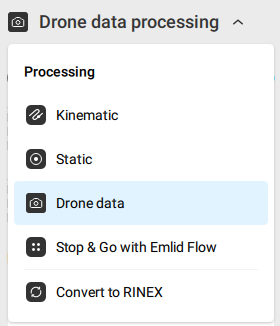
Select Drone Data from the drop down.
{% endstep %}
{% step %}
### Upload Files
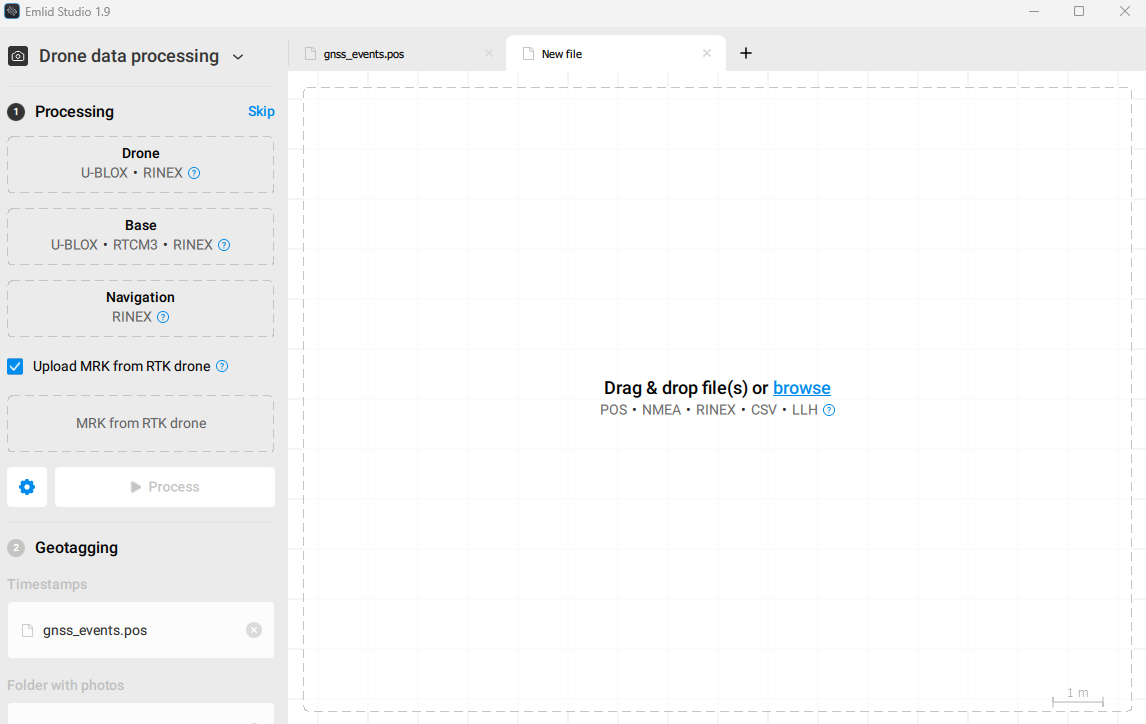
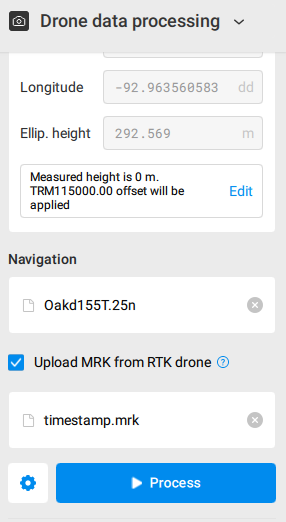
Begin adding files in the Processing Section. These files include:
* The gnss.ubx file from your Sentera Sensor.
* The observation file from your base station or reference network.
* The MRK file from your Sentera Sensor.
{% endstep %}
{% step %}
### Drone - Gnss.ubx
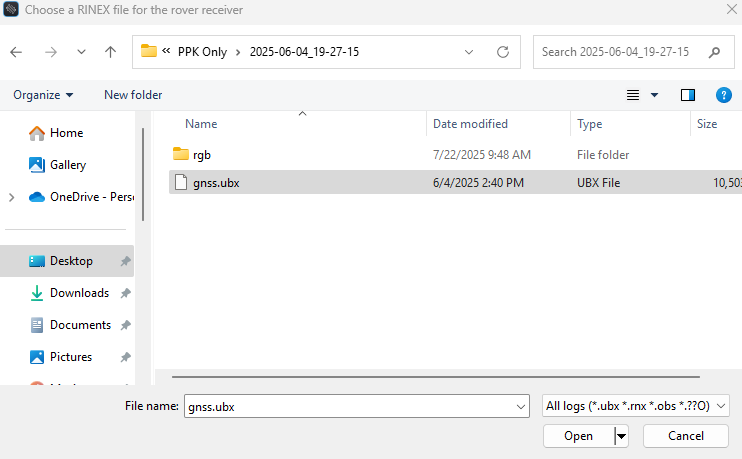
Add the gnss.ubx file from your Sentera sensor. This file will be found in the flight folder. You can drag the file or navigate to it through your file explorer.
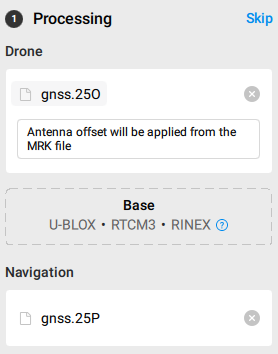
Once the gnss.ubx file is added, Emlid Studio will generate a new rinex\_gnss folder with gnss.25O and gnss.25P files. These new files are automatically added to Emlid Studio in the Drone and Navigation fields.
{% endstep %}
{% step %}
### Offload Base Station Files
Files can downloaded from the Emlid Base Station webpage (Reach Panel) or from the Emlid Flow App.
View the article below for instructions on offloading the files.
{% content-ref url="/pages/cykSOIwkv3UzcUMNN38X" %}
[Offloading PPK Logs](/home/rtk-ppk-module/operation/base-stations/emlid-base-stations/emlid-reach-rs2-base-station-operation/offloading-ppk-logs.md)
{% endcontent-ref %}
{% endstep %}
{% step %}
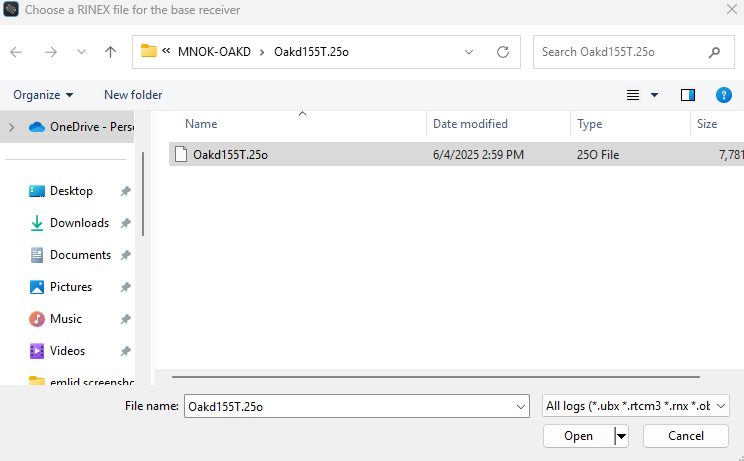
### Base - Observation File
Add your base station observation file. This can be from a Base Station such as the Emlid Reach RS2 or from a CORs network.
You can drag the file or navigate to it through your file explorer.
{% endstep %}
{% step %}
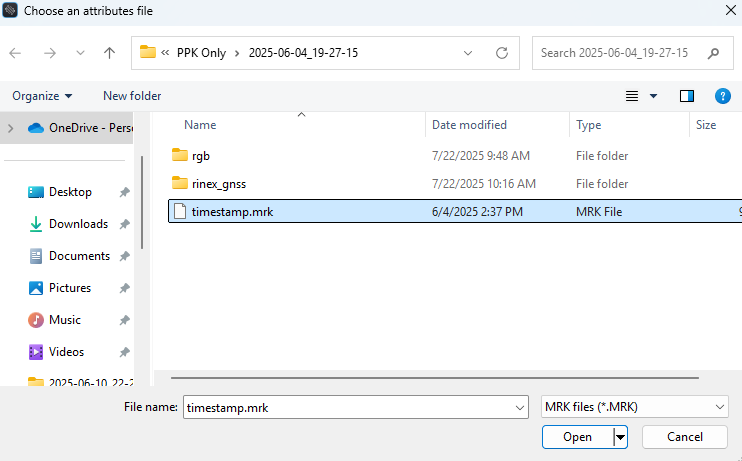
### Markdown File
Add the markdown file from your Sentera sensor. This file will be found in the flight folder. You can drag the file or navigate to it through your file explorer.
{% endstep %}
{% step %}
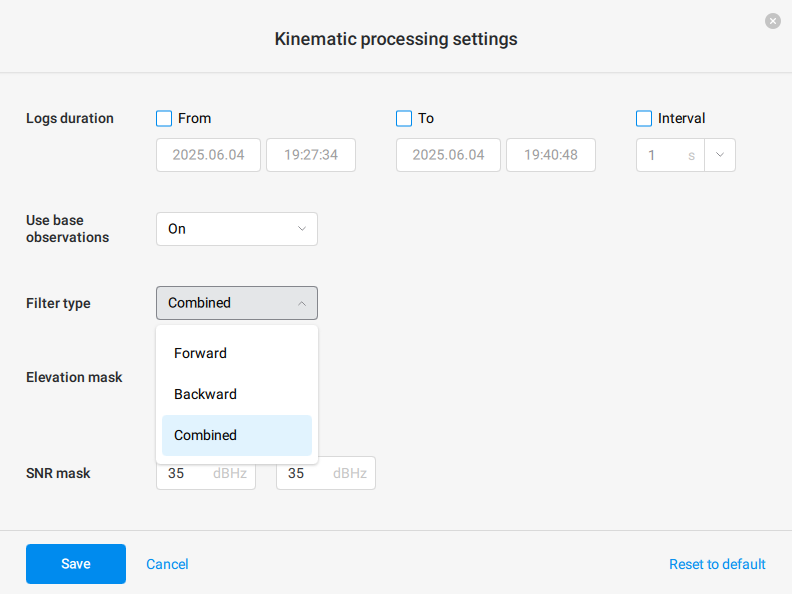
### Open Settings
Click the settings gear icon.
{% endstep %}
{% step %}
### Update Filter Type
Select Combined from the filter type drop down menu.
Click save to update your settings.
{% endstep %}
{% step %}
### Process
Click process and wait for your results.
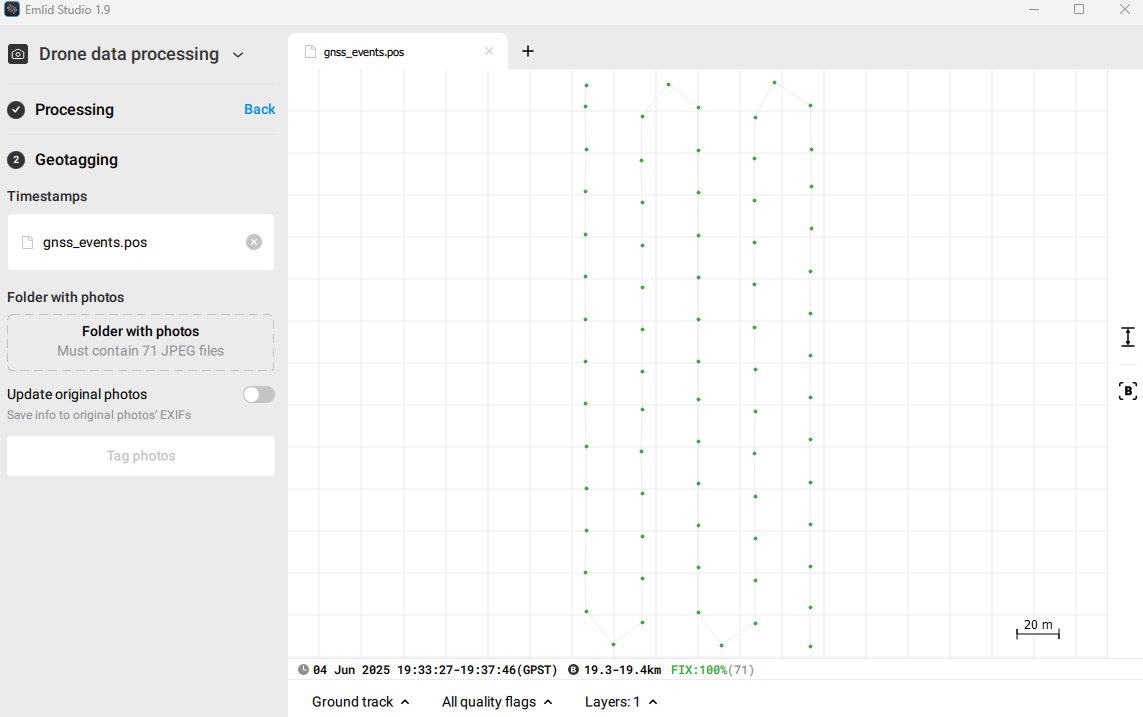
After processing the Geotagging section will open. The gnss\_events.pos file was generated from the processing and automatically populates the Timestamps field.
{% endstep %}
{% step %}
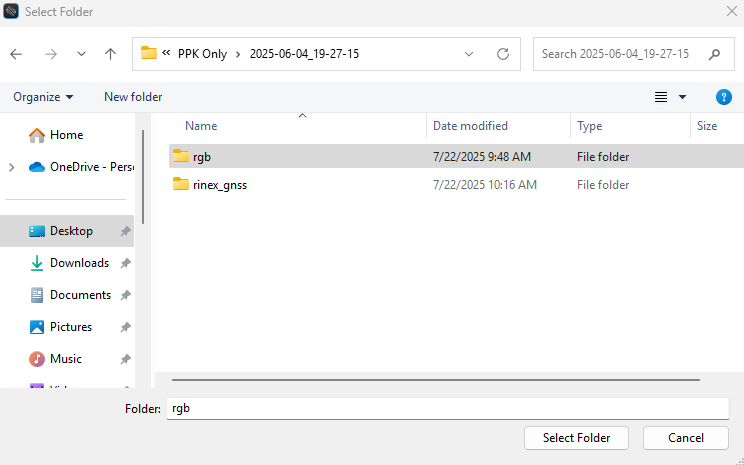
### Add Image Folder
Add the image folder from your Sentera sensor. This folder will be found in the flight folder. You can drag the folder or navigate to it through your file explorer.
{% endstep %}
{% step %}
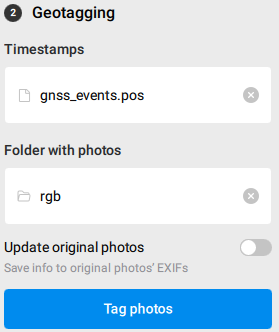
### Tag Photos
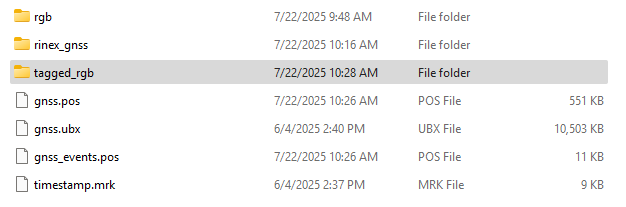
Click Tag photos and wait for the results.
Tagged photos will be saved to a new folder. To overwrite your original images, toggle the Update original photos option.
{% endstep %}
{% endstepper %}
---
# Agent Instructions
This documentation is published with GitBook. GitBook is the documentation platform designed so that both humans and AI agents can read, navigate, and reason over technical content effectively. Learn more at gitbook.com.
## Querying This Documentation
If you need additional information that is not directly available in this page, you can query the documentation dynamically by asking a question.
Perform an HTTP GET request on the current page URL with the `ask` query parameter, and the optional `goal` query parameter:
```
GET https://support.senterasensors.com/home/rtk-ppk-module/data-processing/ppk-processing/emlid-studio.md?ask=&goal=
```
`ask` is the immediate question: it should be specific, self-contained, and written in natural language.
`goal` is optional and describes the broader end goal you are ultimately trying to accomplish on behalf of the user. GitBook uses it to tailor the answer towards what is most useful for that goal.
The response will contain a direct answer to the question and relevant excerpts and sources from the documentation.
Use this mechanism when the answer is not explicitly present in the current page, you need clarification or additional context, or you want to retrieve related documentation sections.