> For the complete documentation index, see [llms.txt](https://support.senterasensors.com/home/llms.txt). Markdown versions of documentation pages are available by appending `.md` to page URLs; this page is available as [Markdown](https://support.senterasensors.com/home/rtk-ppk-module/setup-and-installation/rtk-ppk-module-installation/if800/module-installation-for-65r.md).
# Module Installation for 65R
## Cable Clip (First Time Installation ONLY)
{% stepper %}
{% step %}
### Clean Mounting Location
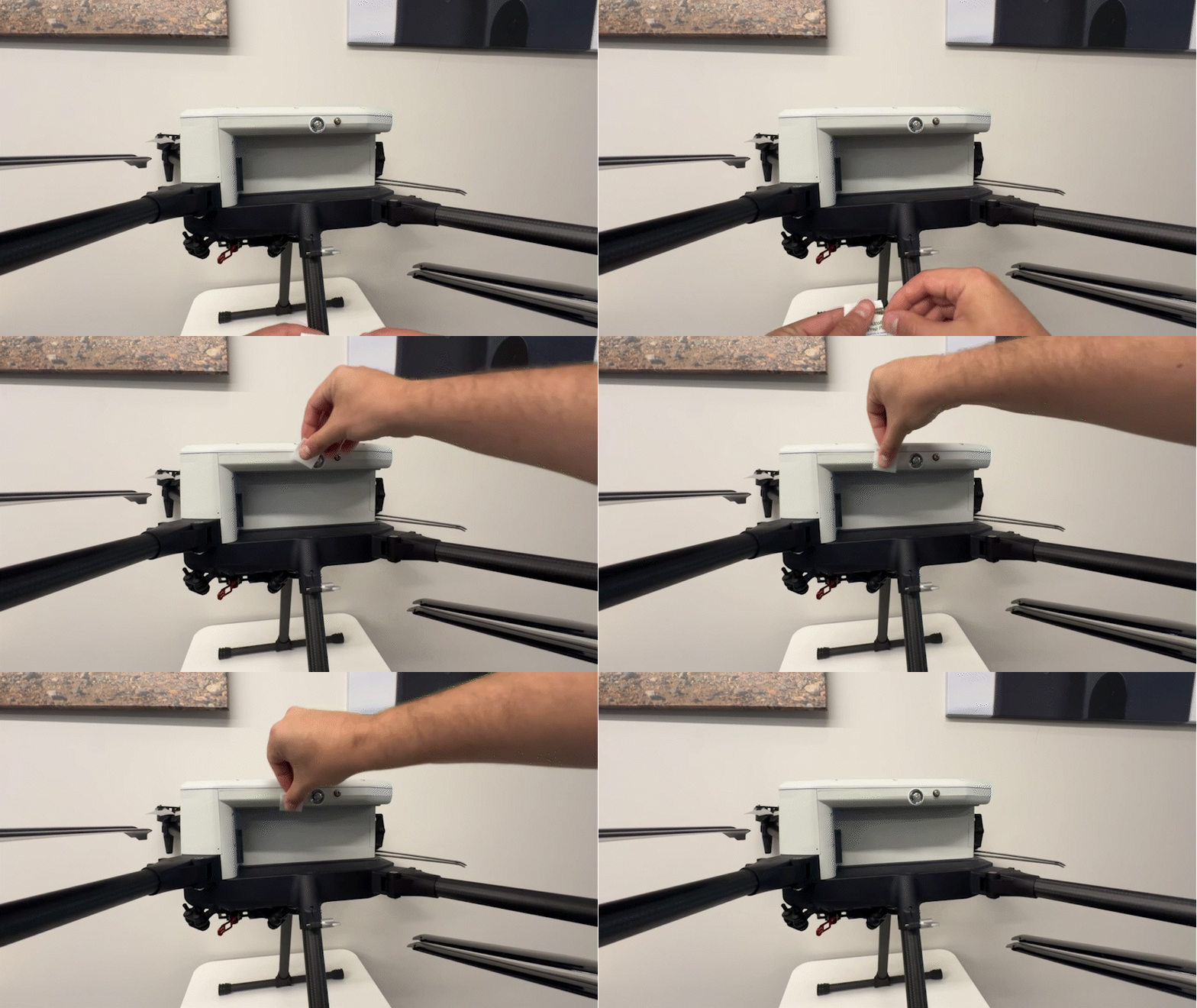
Use the alcohol wipe provided with the RTK-PPK kit to prepare the surface of the drone. Clean the area next to the strobe light. This should be done on the side of the aircraft that has the coax pass through port as shown.
Alcohol Wipe Preparation
{% endstep %}
{% step %}
### Install Clip
After the alcohol has dried, install the cable clip provided in the RTK-PPK module kit on the the side of the IF800. The clip should be installed on the side of the aircraft that has the coax pass through port as shown.
Peel the backing off the cable clip and firmly place it on the drone. Apply pressure for several seconds.
{% hint style="info" %}
Position the cable clip to allow a cable to run vertically from the top of the drone down towards the leg.
{% endhint %}
Cable Clip Installation
{% endstep %}
{% endstepper %}
***
## Module Installation
{% stepper %}
{% step %}
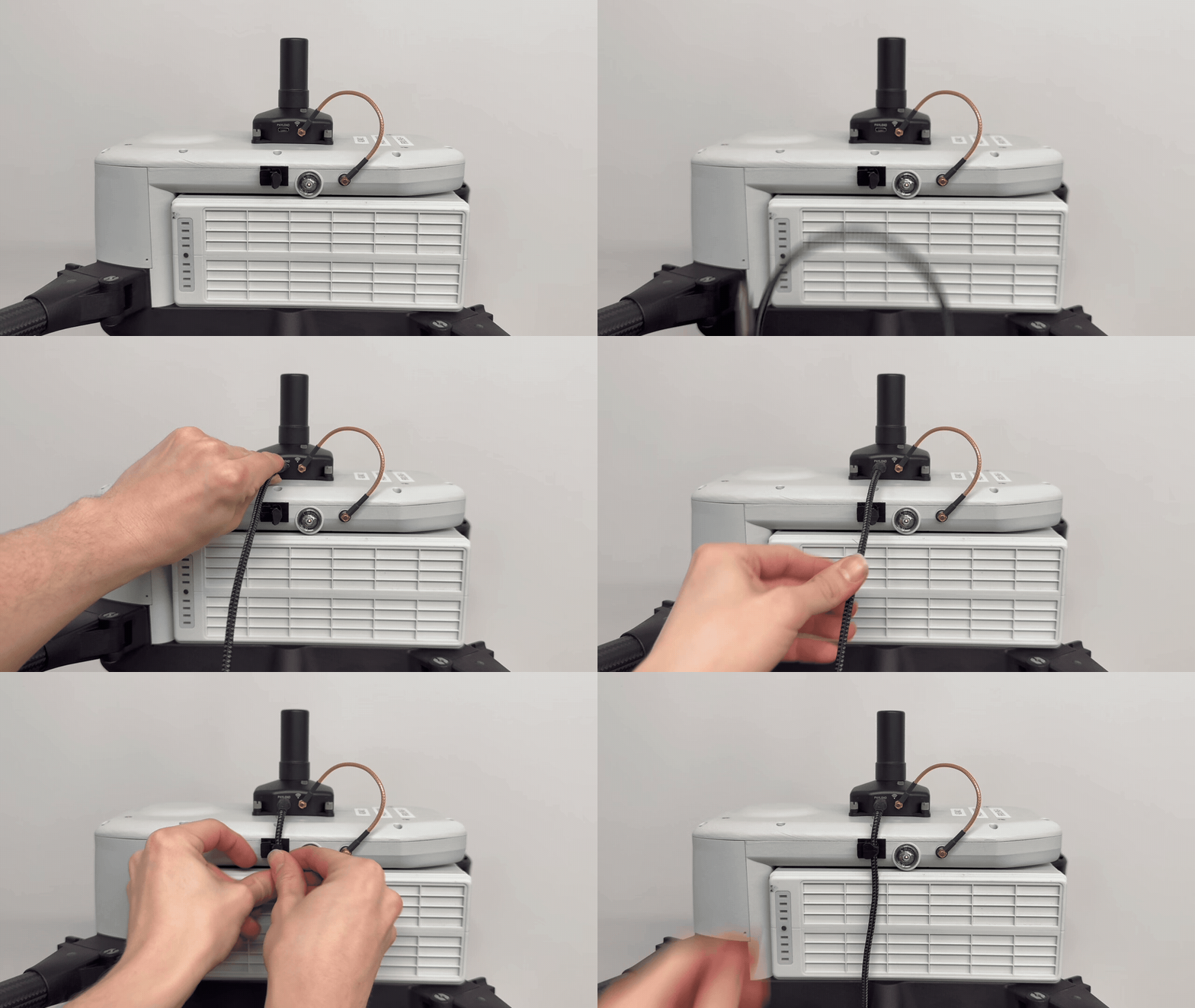
### Mount Module to Aircraft
Place the RTK PPK module on the top of the drone. Ensure the forward arrow is facing the sensor. Tighten the screws.
Module Installation
{% endstep %}
{% step %}
### Connect Coax Cable (NON-NTRIP RTK ONLY)
{% hint style="info" %}
This step is only required when operating when the Sentera Ground Radio is used to provide the corrections data. For example when using a base station or laptop for the corrections source.
{% endhint %}
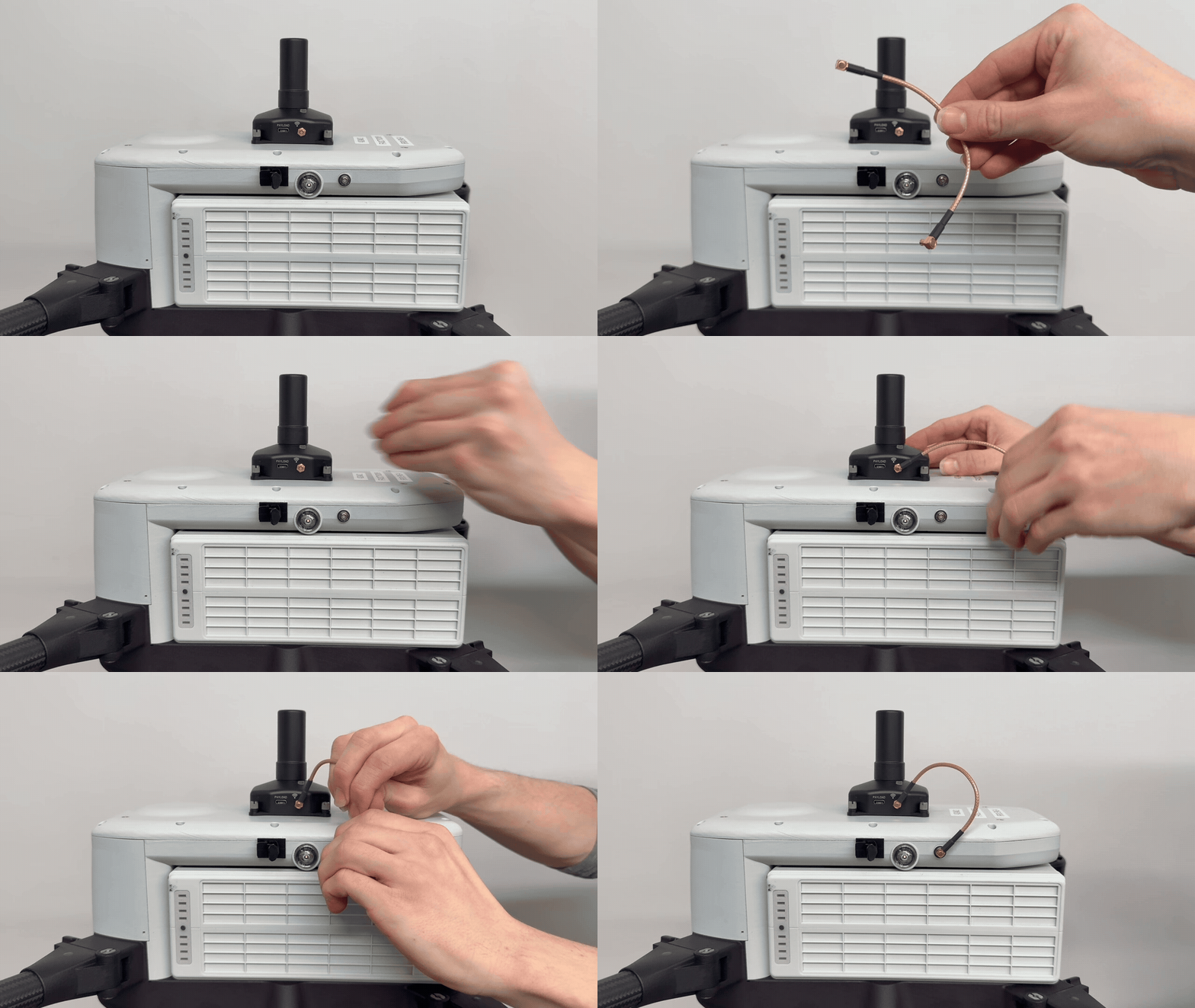
Plug in the coax cable into the side of the RTK PPK module. Plug the other end into the port of the side of the drone.
Coax Cable Connection
{% hint style="warning" %}
When unplugging the coax cable, pull directly outward. Pulling the cable at an angle can cause damage to the cable.
{% endhint %}
{% endstep %}
{% step %}
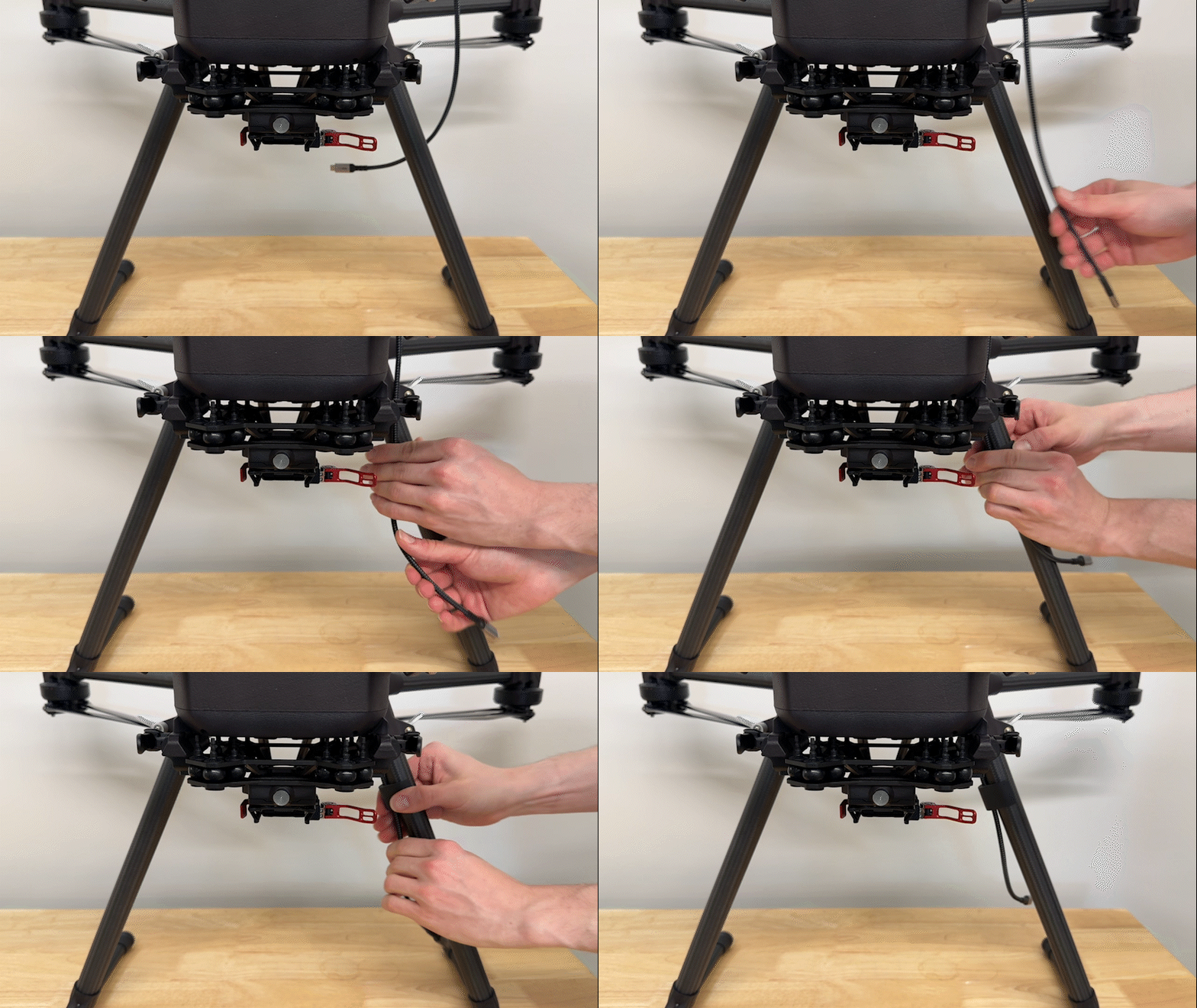
### Install USB-C to USB-C Cable
Plug in the USB-C to USB-C cable into the side of the RTK PPK module. Secure the cable by placing it into the clip.
Then attach the cable to the leg of the drone using the aircraft leg cable clip.
{% endstep %}
{% step %}
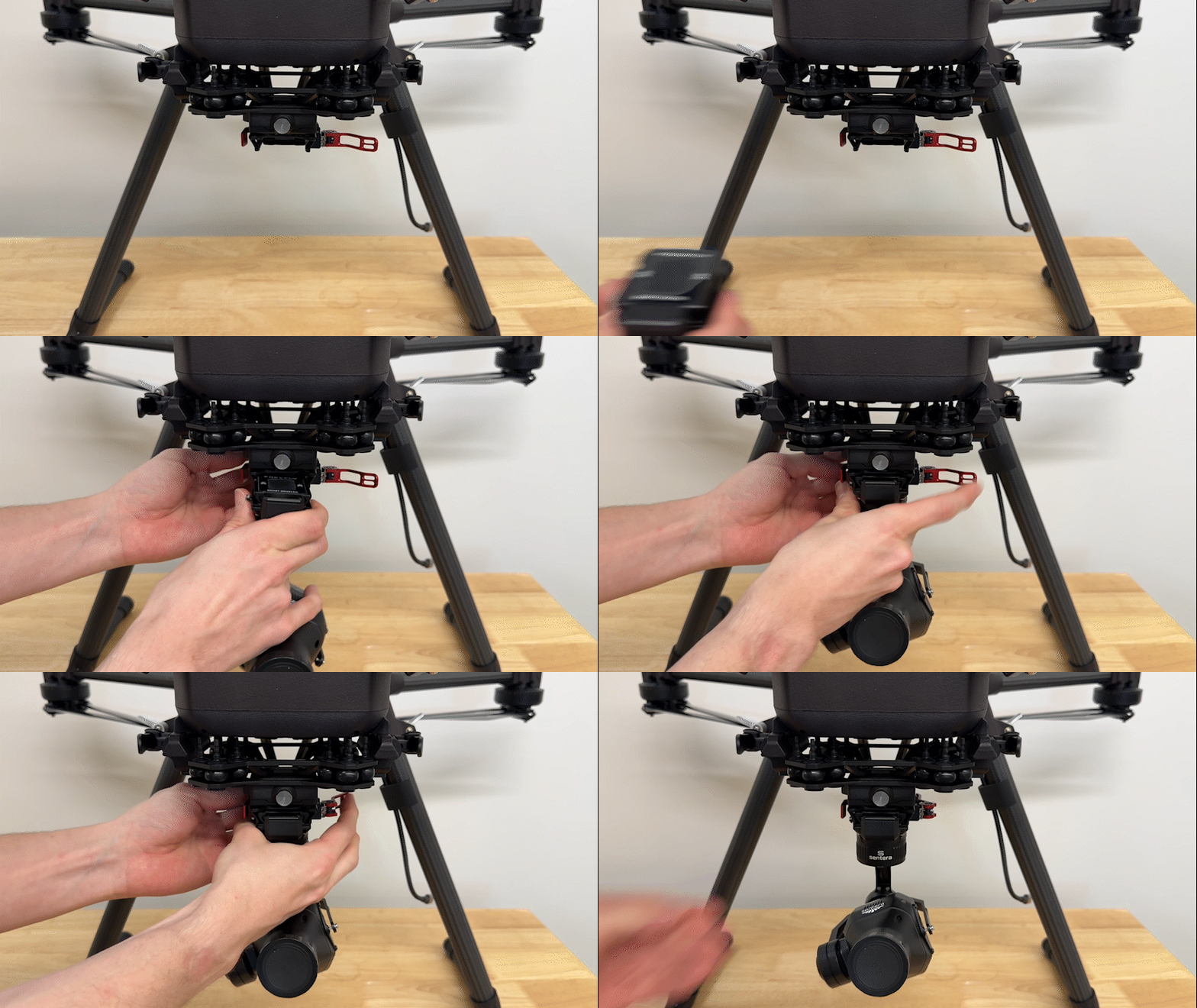
### Install the 65R
Install the 65R into the payload connector and secure the latch.
{% endstep %}
{% step %}
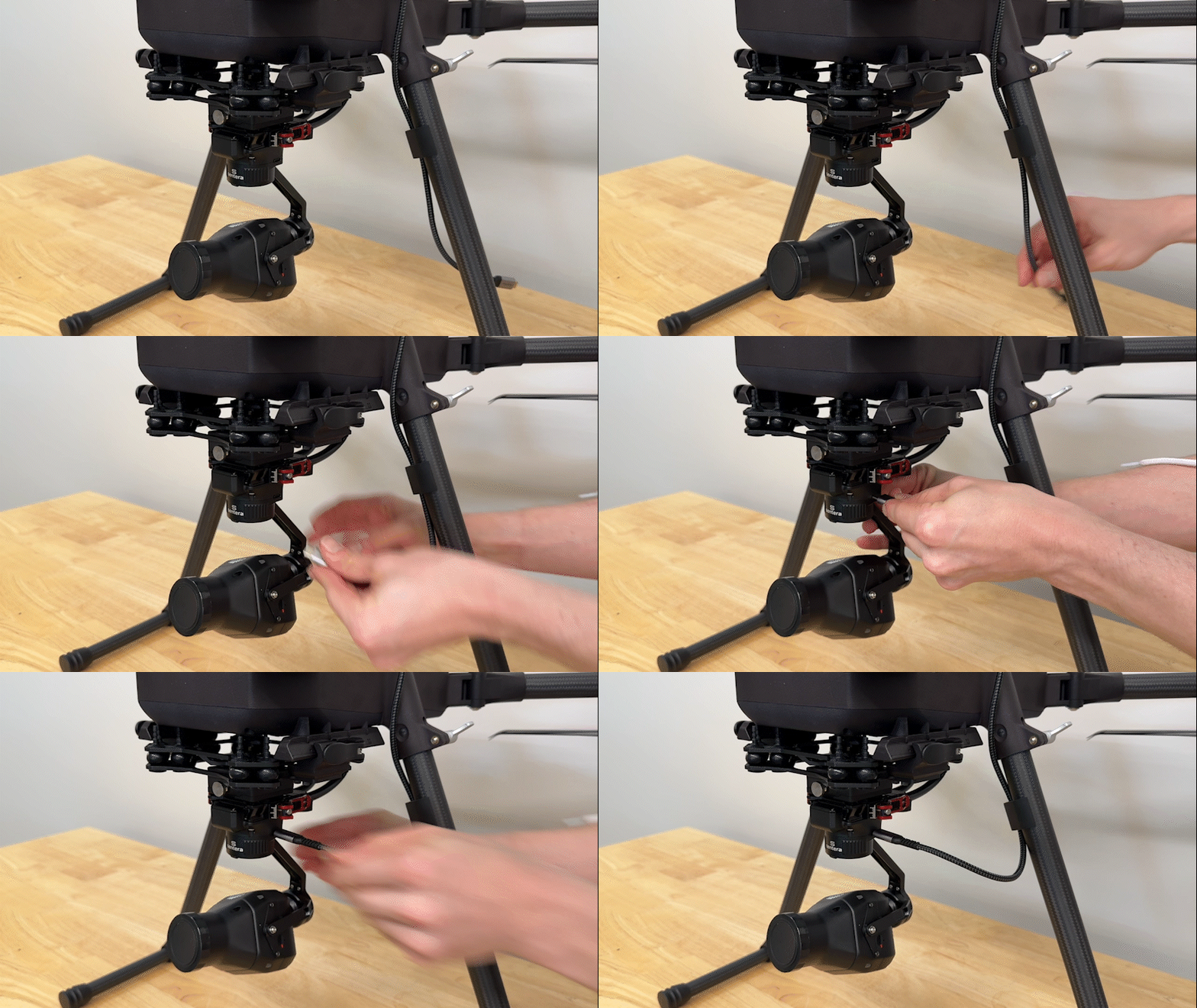
### Connect Sensor
Connect the other end of the USB-C to USB-C cable into the USB-C port on the gimbal.
{% hint style="info" %}
Make sure to use the top port on the gimbal when connecting the USB-C cable.
Do not use the USB-C port on the sensor itself.
{% endhint %}
{% endstep %}
{% step %}
### Connect Antenna (NON-NTRIP RTK ONLY)
{% hint style="info" %}
This step is only required when operating when the Sentera Ground Radio is used to provide the corrections data. For example when using a base station or laptop for the corrections source.
{% endhint %}
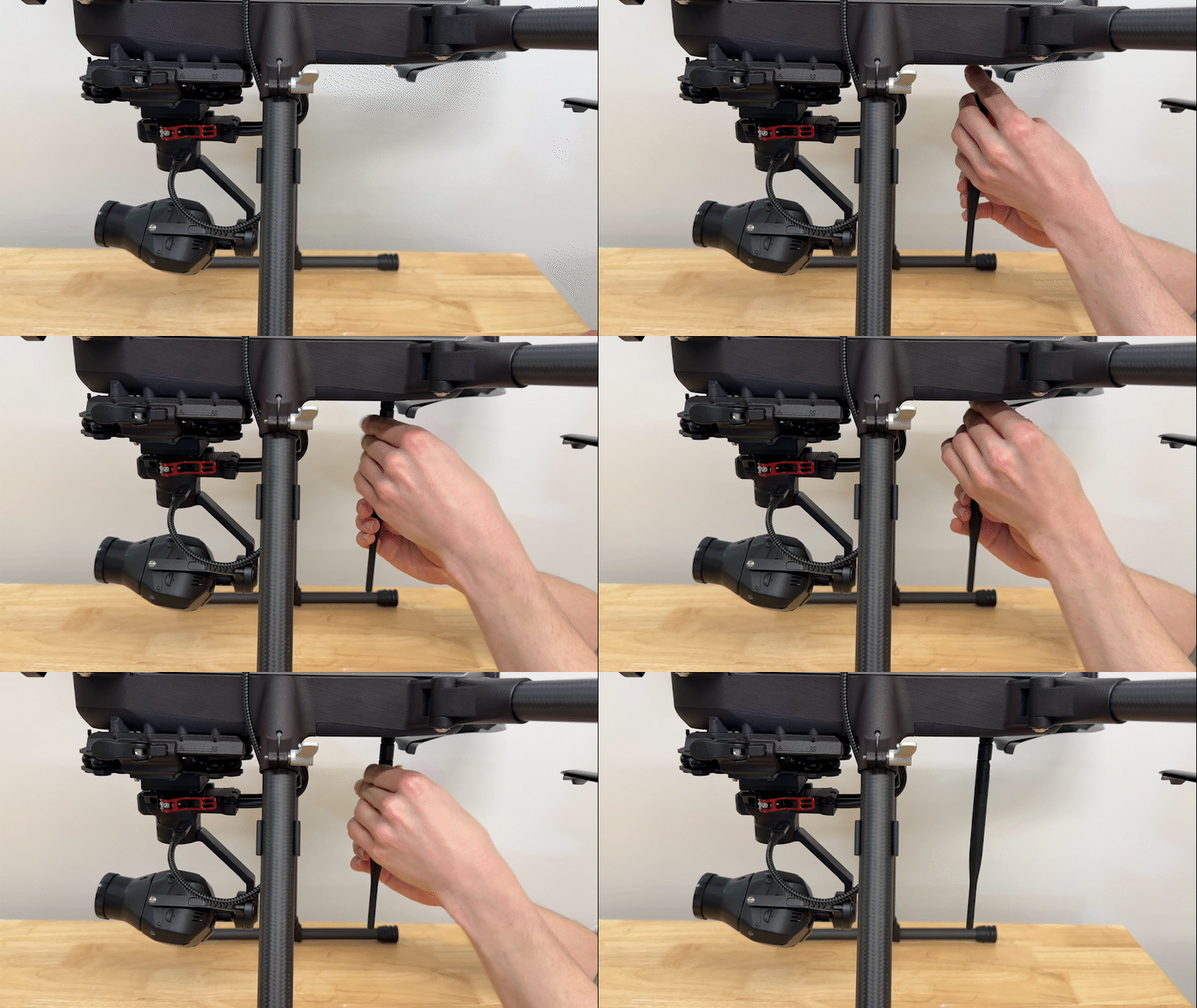
Remove the threaded cap from the connector on the aft underside of the aircraft.
Screw the antenna onto the connector on the underside of the drone. Point the antenna straight down.
{% endstep %}
{% endstepper %}
---
# Agent Instructions
This documentation is published with GitBook. GitBook is the documentation platform designed so that both humans and AI agents can read, navigate, and reason over technical content effectively. Learn more at gitbook.com.
## Querying This Documentation
If you need additional information that is not directly available in this page, you can query the documentation dynamically by asking a question.
Perform an HTTP GET request on the current page URL with the `ask` query parameter, and the optional `goal` query parameter:
```
GET https://support.senterasensors.com/home/rtk-ppk-module/setup-and-installation/rtk-ppk-module-installation/if800/module-installation-for-65r.md?ask=&goal=
```
`ask` is the immediate question: it should be specific, self-contained, and written in natural language.
`goal` is optional and describes the broader end goal you are ultimately trying to accomplish on behalf of the user. GitBook uses it to tailor the answer towards what is most useful for that goal.
The response will contain a direct answer to the question and relevant excerpts and sources from the documentation.
Use this mechanism when the answer is not explicitly present in the current page, you need clarification or additional context, or you want to retrieve related documentation sections.