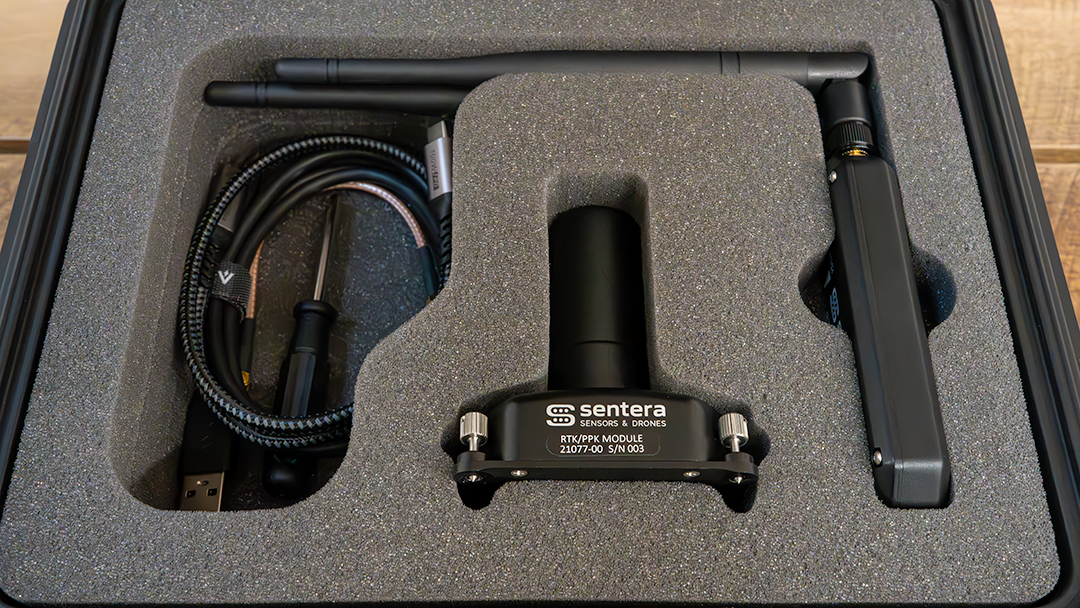
| Cover image | ||
|---|---|---|
| RTK/PPK Module | The module contains the GNSS receiver, GNSS antenna, and integrated 915 MHz radio. This is the piece of hardware that allows for the RTK/PPK functionality. | module cropped.jpg |
| Sentera Ground Radio | The ground radio is used when the user wants to receive RTK corrections from a 3rd party base station or other corrections source that is not the NTRIP client built into the hand controller. This radio is connected to other devices via USB. | ground radio and seperate antenna cropped.jpg |
| 915 MHz Antenna | The 915 MHz is used when using the ground radio to receive RTK corrections. It is not needed when the ground radio is not being used. For IF800 the antenna is connected to the coax pass through on the underside of the aircraft. | antenna shadowless 2.jpg |
| IF1200 915MHz Antenna Mount and MCX to SMA Coax Cable | This is an RF coax cable and rail mount. It is used to connect the 915MHz antenna to the radio in the module. | if1200 coax.jpg |
| USB-C to USB-C Cable, 3ft | This cable is used to connect the module to the sensor. This will power the module and send data back and forth between the sensor and the module. | usb c to usb c.jpg |
| USB-A to USB-C Cable | This cable is provided with the intent of being used to connect the ground radio to either a base station or a laptop. Some devices (base stations or laptops) may require a USB-C to USB-C or other such cable depending on the available I/O of the device. | usb to usb c.jpg |
| Right Angle USB-C to USB-A Cable, 6in | This cable is only used when operating with a 6X sensor. It is used to connect the incident light sensor to to the module. | right angle usb to c second pic.jpg |
| Aircraft Side Cable Clip - QTY2 | This clip is used to secure the USB-C to USB-C cable that connects the module to the sensor. It helps ensure that a loose cable cannot get into the props during flight This clip is permanently installed on to the aircraft using an adhesive backing. | cable clip shadowless v2.jpg |
| Alcohol Wipe | This is provided with the kit to clean the surface of the aircraft before installing the adhesive clip. | wipe.jpg |
| Aircraft Leg Cable Clip - QTY 2 | This clip is used to secure the USB-C to USB-C cable that connects the module to the sensor. This clip captures the cable and is clipped onto the leg of the aircraft. It helps ensure that a loose cable cannot get into the props during flight | leg cable clip shadowless cropped.jpg |
| 6X Dual Mount | This mount is only used when operating with a 6X sensor. It holds both the module and the incident light sensor. This needs to be used anytime a 6X is used with this system as it places the module in the correct spot for lever arm offset calculations This mount is manufactured by IFT and comes in separate packaging from the rest of the kit. | dual mount.jpg |
| Hex Driver, 3mm | This is a hex driver provided to adjust the screw on the rail mount for the RF cable. | hex key.jpg |
| Flat Head Screw Driver | This is used to secure the RTK PPK Module to the aircraft. | flathead.jpg |


